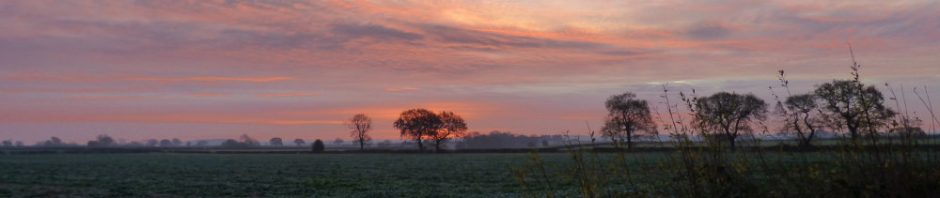

It can be problematic finding photographs online that you are allowed to use for your blog or in your books. The terms of licences are not always clear and you are reliant upon the honesty of those who upload their work to these sites. I personally prefer to use my own images wherever possible.
I am not a photographer, but I do take a lot of photographs… especially when we are allowed to ‘play out’ in the landscape. I don’t use fancy equipment and I have never really bothered with many settings. In the garden, I mostly take pictures on my phone, when we go out, I use an elderly bridge camera, bought second-hand. Its best feature is a great optical zoom.
When we first started documenting our travels, it was a simple case of point and shoot, framing a decent shot being the only consideration. I soon learned that there is more involved in taking pictures for publication than that…
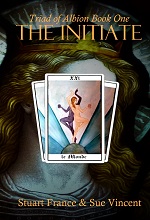
We started writing The Initiate to tell the story of our adventures. The pages of a book are not really designed for landscape shots, but we did the best we could with what we had, publishing in colour at the lowest price that Amazon would allow.

With the ninth and final book in the series underway, we decided to address that. We would re-edit, redesign in monochrome and republish at a much lower price. Which meant trawling through the archives for new and more suitable photos. In doing so, I realised we had learned a lot over the years about taking photos for blog and book…

Snap appropriately
If you are writing about a family get-together, you want pictures of people. If you are writing about architecture, landscapes and historical sites, most images look better without people, or with just the occasional figure for scale. Be conscious of how you might wish to use the images you are taking.
Preserve originals
I always keep the original of each photo. To make any changes or edits, I make a copy of the image, rename it (so I don’t overwrite the original by accident) and work with that… you never know what you might need a picture for in the future and once altered or resized, it may be of little use. I learned that the hard way.

Label your folders
I lost count of how many photos are stored on my computer and external drive somewhere after the first hundred thousand. Even though, these days, I am strict about deleting spoiled photos as soon as I upload them, there are still far too many to keep track of easily, no matter how carefully I label their folders. Mostly, I rely on memory… the computer needs to be told exactly what to look for in words it recognises. The human mind can make other connections through memory, emotion and association. Don’t just rely on putting folders in date order… label them with words that mean something to you, or with a string of words that reflect the content. The dates still remain associated with each image.
Resizing
Photos for print will need to be kept at their original size and are best taken at the highest resolution your camera can manage. Unless you are running a dedicated photography blog, you can make a copy and resize images before uploading to your blog’s media library, thus saving your storage space and making it last much longer. Delete the resized image and keep the original.
There are many image editing programmes online, but even something as simple as Paint will let you resize… 650 pixels on the longest side is about as big as WordPress allows within a standard post, compared to the 4000+ pixels of the originals.
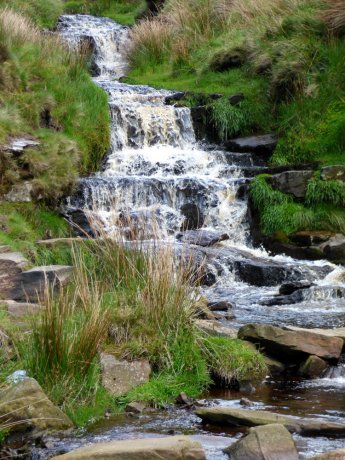
Landscape or portrait?
If you are going to design your own covers, a landscape shot is best for a wrap-around cover, portrait for a front cover. Standard sized books tend to look better with portrait shots on their pages, unless you plan on inserting a montage of smaller photos.
Portrait shots can fill a whole page on a blog post, which is fine if you are showcasing the photo itself… but landscape shots work well for illustrating an article. In this case, portrait shots often need to be scaled down.
Colour or monochrome?
For online and ebook purposes, go with whatever feels best to you. Experiment. What works in colour may look amazing or simply look bland in black and white. The vagaries of printing, though, mean that dramatic monochrome shots may come out too dark or show insufficient detail… either way, unless chosen carefully, the images may be unclear. Take images in colour, copy the original, and play with editing software to see what works best.
Editing
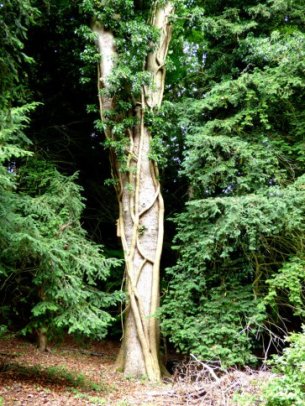
As always, make a copy and keep the original. Then play to your heart’s content with whatever editing software you have. You can make an arty montage or keep it simple. I seldom do more than adjusting the lightness and clarity for blog photos, preferring to give an accurate portrayal of the places we visit. When I make a book cover though, I can use half a dozen programmes and tend to work in layers.
Most importantly
Taking photos should be fun. It should neither be a chore nor take away from your enjoyment of where you are. Looking through the camera lens may even help you see in more detail and with more clarity than with eyes alone. But, whether the complexity of ‘real’ photography is your thing, or whether you prefer to simply snap away, your photographs should capture not only your subject, but something of you too. It is your love for your subject, your passion and your vision that makes every photograph unique.





















 Sue Vincent's Daily Echo
Using your own images on blog posts is defiantly the way to go, Sue. Not only do SEOs (such as Google) rate blog posts with original images far higher than those that have images taken from a stock images website, but you also do not run the risk of running into any copyright infringement.
You’re right about checking the small print when using images that are not yours. They may be free to use, but some images and photos are only free for a limited time before copyright rules kick back in. I know of a couple of bloggers who have fallen foul of this and have been fined for copyright infringement.
Chris (over at the Story Read Ape’s Blog), also did a great ‘How To’ tutorial on resizing photos and images directly on WordPress. It’s easy to do and works great, so no need for using any other software (unless, of course, you already have that software downloaded).
LikeLiked by 2 people
The way larger images affect loading speed is important too…a slow load is more likely to lose readers.
Although you can resize, rotate and crop images within WP itself, you still have to upload the full -sized image and I wonder how that affects storage space?
LikeLiked by 1 person
That’s a good point. WordPress still retains the original image because there is the option to revert back to the original image. However, if you re-size in the WordPress library, the library storage space of anybody who reblogs the post is only taken up by the re-sized image.
LikeLike
I learned late about resizing before I uploaded… and had to make a choice between deleting images or upgrading to a paid blog.
LikeLiked by 1 person
So far this year, I haven’t used my camera much as we are confined to barracks.
I really miss going out and exploring!
LikeLiked by 1 person
Same here, Jaye.
LikeLiked by 1 person
Excellent information. Thanks.
LikeLiked by 1 person
Thans, Darlene.
LikeLike
Great tips, Sue. Thanks. And btw, your photos are wonderful.
LikeLiked by 1 person
Thank you, Fransi 🙂
LikeLiked by 1 person
You’re welcome Sue.
LikeLiked by 1 person
Great information, Sue. I’ve been saying for months I must organise my pics, especially the many old ones of Afghanistan, I’ve been scanning, but still haven’t started.
LikeLiked by 1 person
I try and do a bit every day… but it will be a lngjob to proerly organise everything 😉
LikeLiked by 1 person
I know but I think it will be worth it as right now I spend ages searching for the suitable photos I KNOW are somewhere but can’t find. It’s so bad it detracts from the pleasure of posting a blog.
LikeLike
I rather like hunting… I find all sorts of things I had almost forgotten about 🙂
LikeLiked by 1 person
I really enjoy taking photographs Sue and I’m trying to be more organised. Recently, I altered a photo of myself changing it to black and white and found that I preferred the black and white version.
LikeLiked by 1 person
Some images work far better in black and white… and you can get some stunning effects. But for print, we should not simply assume a picture will work.
LikeLiked by 1 person
Yes what amuses me about it all is I had my make up specially done that day. But it looked better in black and white!
LikeLike
That’s sort of typical, isn’t it? 🙂
LikeLike
I drive my clients crazy, with the oft repeated phrase, “take some pictures, take it in landscape and send them to me to go along with your content – here’s how to zip a file of them, here’s how to send your faves – don’t ask me to waste my time and your money trying to find the ‘right image’ to illustrate the point your sent content is making, that will need to be adjusted, edited, cropped, etc., just to provide a main picture that will work well on site, in content and automatically share nicely to social media fronts without me having to make 17 different opitions of the thing to manually post it myself on various fronts – seriously, didn’t you say you needed funds for a new piece of equipment or some extra help with (such and such) or can’t I just stop by while I’m in the area and snap some b roll options to have on hand for future options? Puhlease….can I just drop by, say hi, ask a few questions and then snap away like my life depended on it? Free of charge, cuz I’m not an expert, and I actually need some road tripping, out and about time away from the computer…… LOL. Nice list of overall points to consider…
LikeLiked by 1 person
The right image makes all the difference… 😉
LikeLiked by 1 person
Sue,
I shall be publishing my own poems, many are photo prompt, with or without a theme. Though I acknowledged that some of the pictures were not mine, or by the owner of the prompt, there was still uncertainty about copyright. Could one hold any right on a street scene, tourists sight, or pictures of flowers etc?
Dr. Lim Keng Huat, http://www.wonkywizard.wordpress.com
LikeLiked by 2 people
The copyright of all photographs belongs to the photographer and you should not publish them without the written permission of the copyright owner, unless they have been released under license as public domain or for commercial use.
Photographs that show identifiable people or businesses may need a model release too.
If you are planning on using any of my pictures, the prompt photos are always my own. Please email me and I will be happy to give permission, proving appropriate credit is given.
LikeLiked by 1 person
Thanks Sue for the clarification. I use four of your pictures, all scenarios, Viz,Glassy Water, Onward Journey; Street Art (Decipher Art Code) & Glimmer In Darkness. In each haiku/senryu; they were acknowledged that the picture & prompt were from you. You and other poets were also acknowledged in my preface. Your pictures were coloured. I had to whitened it due to cost. There are not many pictures in my book. More are my interactions with Helene Vaillant; more as memory of her friendship. I hope you will be kind enough to give permission for me to use it as visual haiku. Thank you. No offence if permission is not granted.
LikeLike
As I said earlier, I am more than happy to be included with your poems, especially as this work honours your friendship with Hélène, who was a lovely lady.
LikeLike
Thank you Sue for your permission to use your pictures. In my Preface to the book, I have acknowledged the inspiration and learning to write in diverse theme due to photo and other prompts from several poets in my blog. Helene was the first to show me those prompts.
LikeLike
I am glad that she is being given this gift.
LikeLike
Good advice, Sue.
LikeLiked by 1 person
Thanks, Ken.
LikeLiked by 1 person
Reblogged this on Stuart France.
LikeLiked by 2 people
Good advice about making a copy and using that to resize or edit. Each time you edit an image the repro quality declines so without a copy to work from you’ll find that original version keeps losing quality to the point where it can no longer be used in a publication .
LikeLiked by 1 person
I found that out the hard way a few years ago.
LikeLike
The last piece of advice – photography not being a chore – is good for anything you do. Once it stops being fun, perhaps it’s time to give it up. With an iPhone, it’s better to get closer to hte subject then to use the zoom feature.
LikeLike
I agree, Lisa… we have enough duties without creating chores for ourselves 🙂
LikeLiked by 1 person
These are great points you’ve made Sue. And I like that you wrote your post so that even someone with as little (I.e. none whatsoever) photography knowledge as I have could follow every part of it 🙂
LikeLike
Thank you, Barbara 🙂 I love my camera… but I would nt call myself a photogapher, so I need it kept simple too 😀 Part of me would like to learn more about the camera… but most of me just wants to enjoy the places we visit .
LikeLiked by 1 person